Meridian Studio
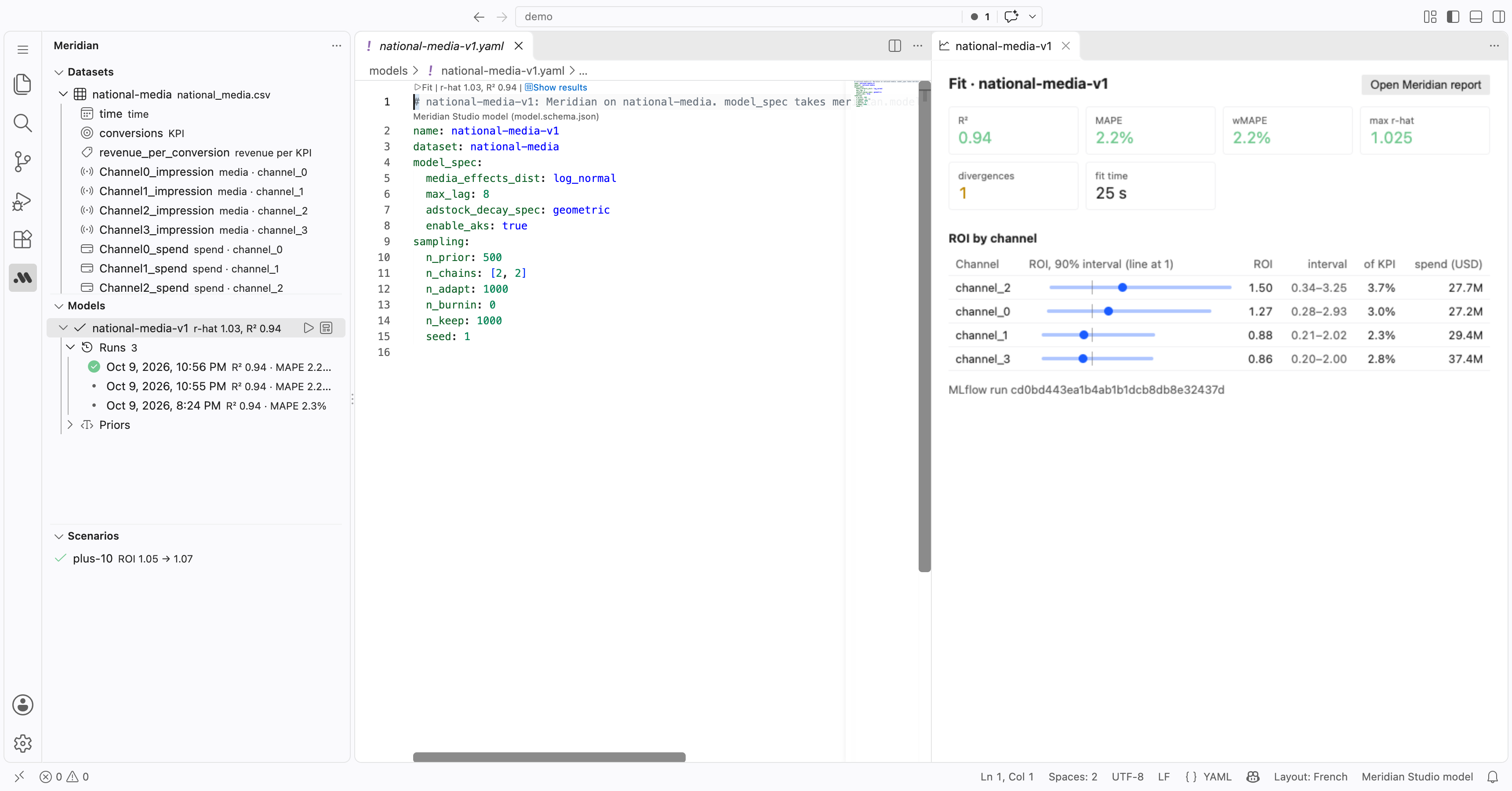
Marketing mix models as code. Run Google Meridian from VS Code or Cursor: datasets, models and budget scenarios are YAML files in your repository, fitted and optimized from the sidebar, tracked in MLflow.
Unofficial community project
Not affiliated with, endorsed by or sponsored by Google. Meridian and the Meridian logo are trademarks of Google LLC. Google's own product named Meridian Studio is at developers.google.com/meridian/studio; this extension is unrelated.
Three kinds of file
| Sidebar | Folder | The YAML says | ▶ runs |
|---|---|---|---|
| Datasets | datasets/ |
a CSV and how Meridian reads it (CsvDataLoader's arguments) |
nothing: a fit reads the CSV |
| Models | models/ |
the dataset, ModelSpec, priors, sampling |
the fit, logged to MLflow |
| Scenarios | scenarios/ |
the model, a budget, bounds per channel, or an ROI target | Meridian's BudgetOptimizer on that fit |
Plain files, so a model is reviewed in a pull request like code, its history is in git, and its fits in MLflow.
Where next
-
Install the extension, then a first dataset, model and scenario on your CSV.
-
The YAML filled from the CSV, its columns completed as you type, mistakes underlined with their fix.
-
Each CSV checked by the role of its columns, like code by a linter: missing weeks, negative spend, a control that never varies.
-
ModelSpec, priors per channel, sampling; a fit's results, its history, MLflow. -
Meridian's optimizer on a fit: a budget or an ROI target, bounds per channel.
-
The same data checks on every pull request, as annotations, without VS Code.